MIUI is one of the most popular custom ROMs for Android. Vibrant UI, diverse personalization options, and useful features make MIUI intuitive and user-friendly.
DesignMore personal and more efficient
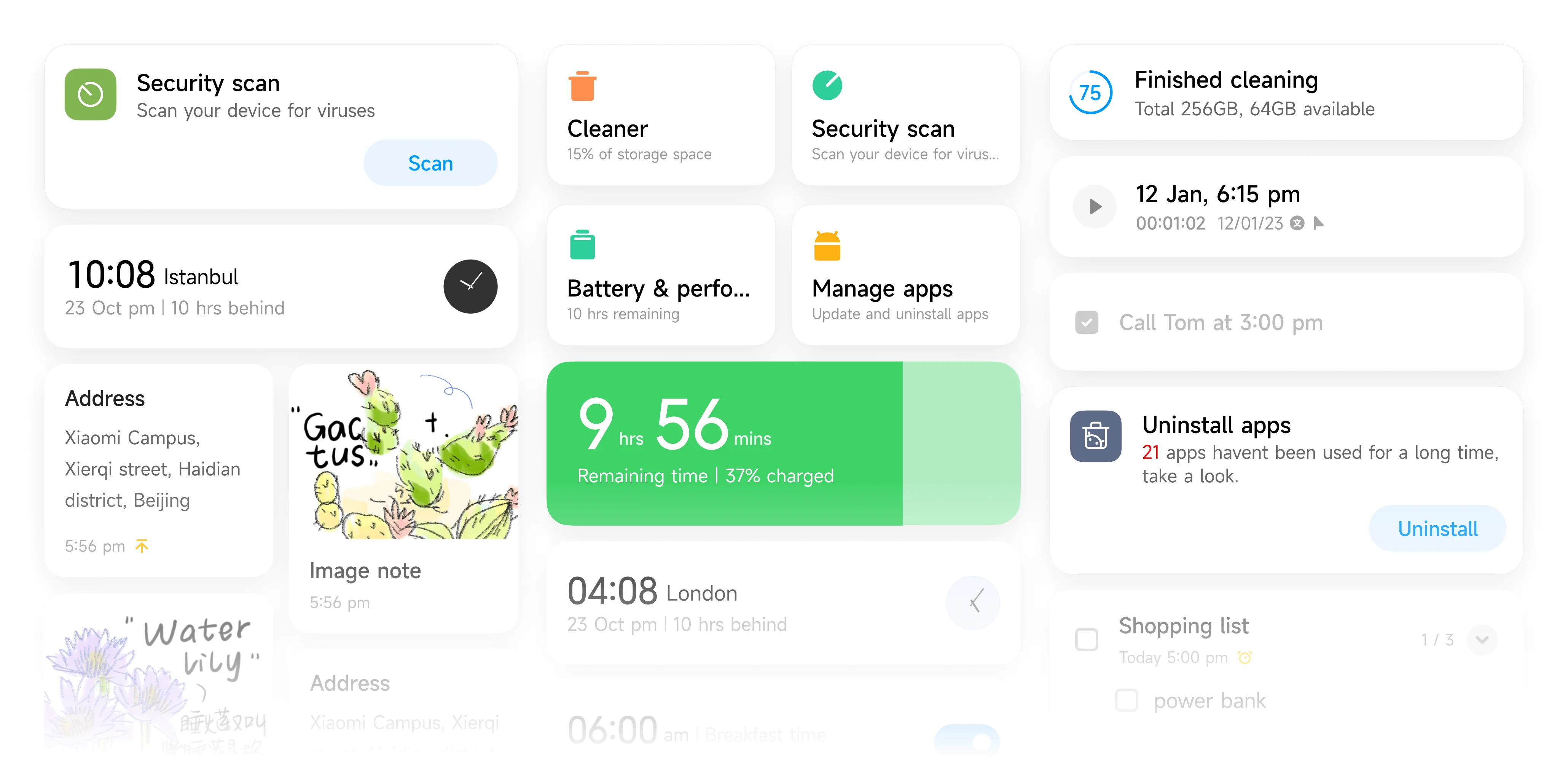
Reimagined Home screenYou can arrange your home screen in your way. Using tabular icons, big folders, widgets and wallpapers to not only stylize your own home screen, but also make it look clearer and easier for your everyday use
Flexible and intuitive designIntroducing card-style design on your display just help to present your information more efficiently, just like Post-it notes but only more organized
Flexible and intuitive designIntroducing card-style design on your display just help to present your information more efficiently, just like Post-it notes but only more organized
Back-end optimizationMIUI is lighter than ever
Stronger performance while more space saving
We optimized the system resources to take up less storage
MIUI 13MIUI 14
We optimized the system memory usage overall to free more memory
Available memory
System
Still good as new as time goes by
The rarely used apps will be auto-compressed by MIUI 14
3 months of usageSaving up to 3 GB of storage
Notifications are not permanent Now. If you do not need them anymore, just close them.*
On-device privacyYour data is with you and you only since they will be fully processed on your own device
Sensitive items are processed without leaving your deviceThere's always a chance of leaks during data transmission. MIUI 14 minimizes such risks by using on-device privacy protection mechanisms that allow the processing of sensitive items directly on your device.
On-device text recognitionProcess images directly on your device
On-device privacy protection mechanisms allow MIUI 14 to recognize text on images quickly and accurately by using the capabilities of your device.
On-device privacy is available for10+ system services
Our privacy protection mechanisms
are tested and certified
by leading industry experts
Connected devicesConnect devices seamlessly and switch in a snap
Sync the app you are are using between your smartphone and tablet, with a simple click from your task bar
Drag and drop, it’s so easy to transfer files between devices
Note:
*The interface displayed on this website is for your reference only. Actual pages might be different from those displayed above. We will update and optimize our features and services as needed without further explanation.
*Selected icons will be available via OTA update.
*Selected icons are only available after downloading the respective application.
*Some features and services described on this website may vary depending on the system version and device model.
*Test results were provided by Xiaomi Internal Labs for your reference only. Test results might vary depending on testing environment, device model, and software version.
*System storage and system memory might vary on different devices. Some optimization methods will be supported upon following OTA . Earlier versions may display system occupation. Part of methods are only available to new devices.
*The feature of removing permanent notifications is only available to 3rd patry applications.
*Text recognition in images is available for Chinese, English, French, German, Indonesian, Italian, Portuguese, and Spanish.
**Connected devices compatible with Xiaomi 13, Xiaomi 13 Pro, and Xiaomi Pad 5. Feature relies on your network environment, recommended use on 5GHz Wi-Fi for best results.
*Selected icons and widgets will be available via OTA update.
*Selected icons and widgets are only available after downloading the respective application.